Silent Killer Simulator Alarms, Lockdown, and Witnesses
Read each warning in Silent Killer Simulator to decide whether to stop a witness, reach an alarm control, or return to the Escape Truck.
Take a filming witness’s phone before the clip is posted. At the Villa, follow the alarm marker to the front-door keypad. When POLICE IN appears, plan your route to the truck; once police arrive, use the SWAT countdown to decide when to leave.
Lockdown, Police, and SWAT Warnings
Read the active warning and Mr. X’s callout before choosing your next move:
- LOCKDOWN names the affected area. Look for a local alarm or equipment prompt and its deadline.
- POLICE IN means a police response is on its way. Check the remaining time and your route to the Escape Truck.
- POLICE ON SITE means police have arrived. Watch the SWAT countdown and decide whether to finish your immediate objective or leave.
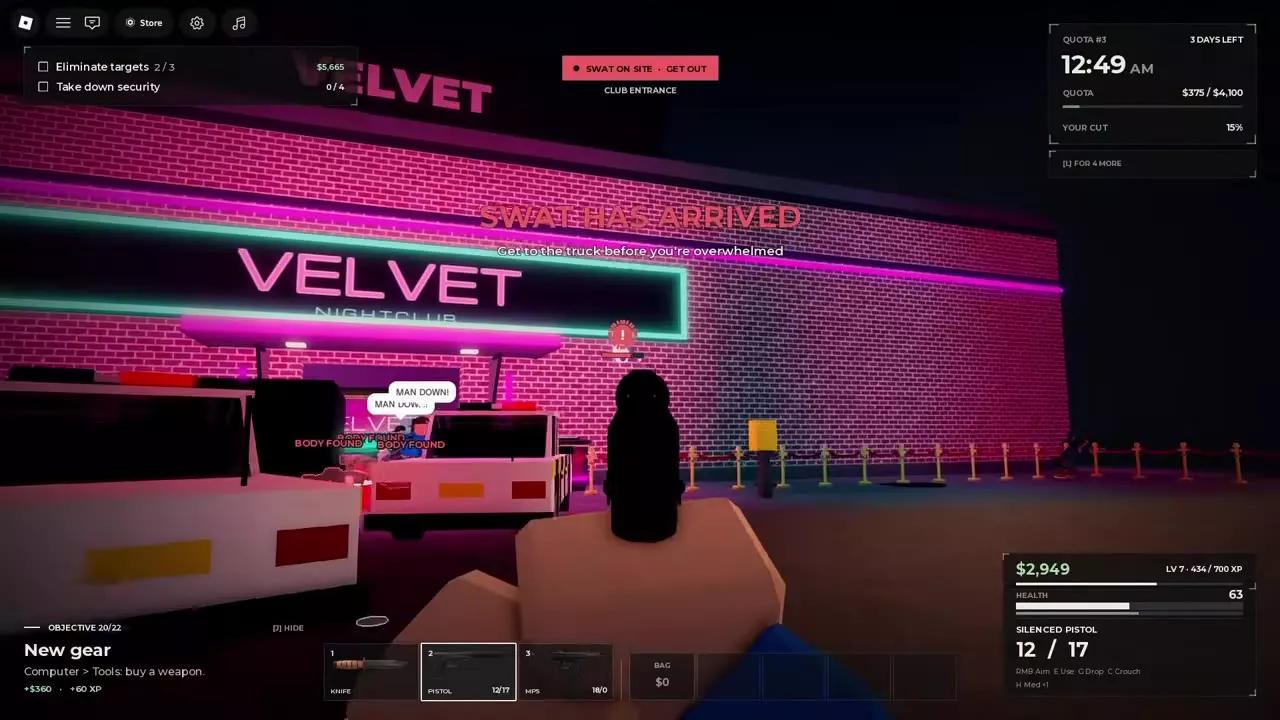
- SWAT HAS ARRIVED or SWAT ON SITE – GET OUT calls for a return to the truck before you are overwhelmed.
Lockdown and alarms have several triggers. A witness can trip the Villa’s local alarm, while the Strip Mall’s burglar alarm can place it in lockdown. At Mansion, a witness can hit an alarm or a guard can radio for backup. In Labs, Research can enter lockdown and a witness-triggered alarm can start the police countdown. Read the timer on your screen when deciding how much time remains.
Take a Witness’s Phone
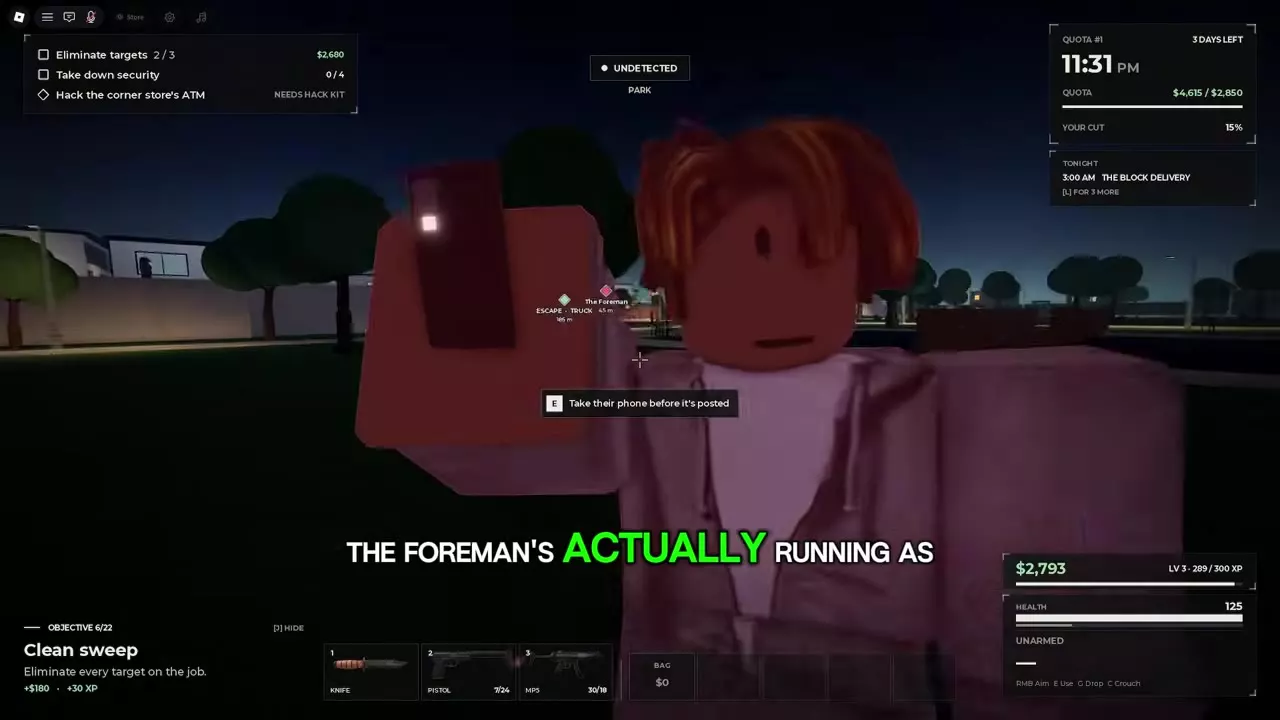
When Mr. X calls out someone filming, look for a person holding up a phone and the REC countdown.
- Approach the witness before the recording is posted.
- Press E when Take their phone before it’s posted appears.
- Check for the message confirming that the phone was taken and the clip stopped.
A body found at the Villa can prompt a neighbor to film; a completed upload can put the Villa into lockdown. In Town or Velvet, a neighbor’s or clubber’s post can trigger an alarm and a police countdown. Taking one phone stops that upload, but another witness can still raise an alarm.
Villa Alarm Keypad and Smart House Warning
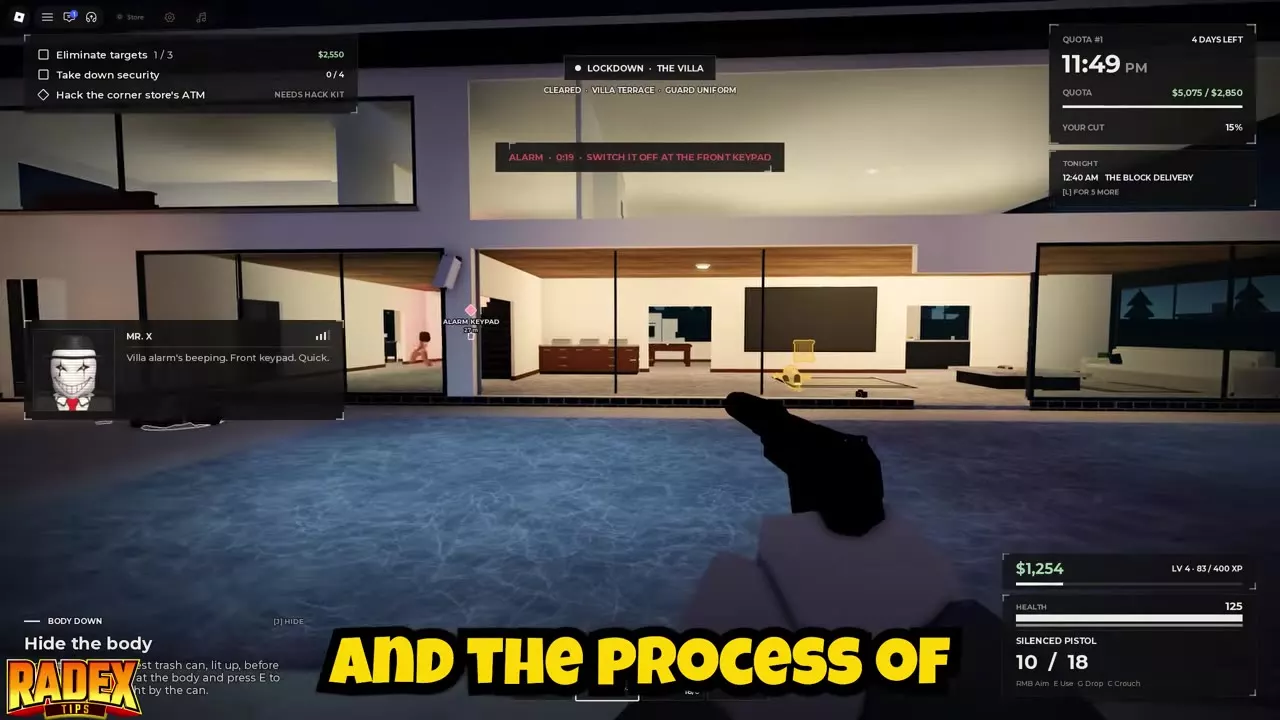
Villa alarm keypad
When the Villa alarm tells you to switch it off at the front keypad, follow the ALARM KEYPAD marker and its distance to the front door. Interact with the keypad before the displayed countdown ends. The Town map guide covers the Villa’s approaches and return route.
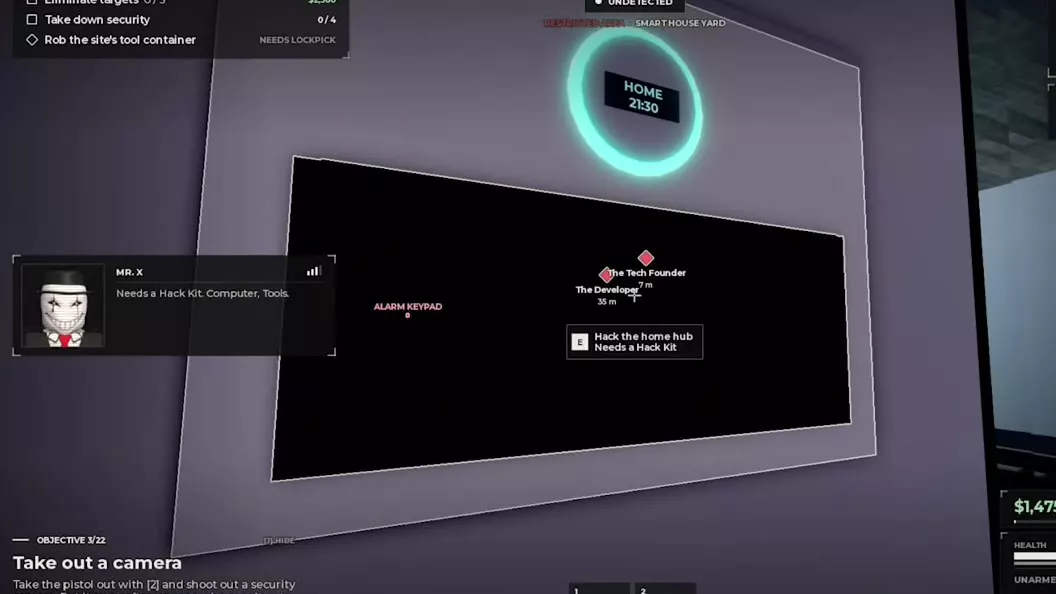
Smart House Home Hub
Bring a Hack Kit to Smart House. If the warning says HACK THE HOME HUB, follow the Home Hub marker to the wall-mounted device and press E before the deadline. The screen can also show an Alarm Keypad marker, so follow the device named in the active instruction.
If the Home Hub countdown expires, the burglar alarm triggers and POLICE IN starts. A camera can record while the Home Hub timer is running, so respond to its warning as well. See how to take down security for the other security-device interactions.
Leave Under Police or SWAT Pressure
Before police arrive, check the direction and distance of the ESCAPE – TRUCK marker. Police can be on the road near the Mansion Gatehouse or outside Velvet, so account for the approach to the truck as well as the time needed to reach it.
When police are on site, watch the SWAT countdown. If SWAT HAS ARRIVED or SWAT ON SITE – GET OUT appears, follow the truck marker and get aboard. Quick Escape remains available under police or SWAT pressure: at Velvet, it can be used from the truck after SWAT arrives. In co-op, arrange for everyone to board when departure starts. Load any bodies you intend to bring back before starting departure.
For the truck controls and the return to the Hideout, see body recovery and escape. The Velvet map guide covers the route through the entrance hall and back outside.