
Silent Killer Simulator Powers and Keyboard Controls
Choose a power for your next Silent Killer Simulator job and check its keyboard controls and per-job supplies.
Buy the matching Game Pass to use a power on every job. Ninja uses Z and U, Virus uses N, M, and P, Attack Drone uses Y, Airstrike uses K, and the Weather Tablet uses L.
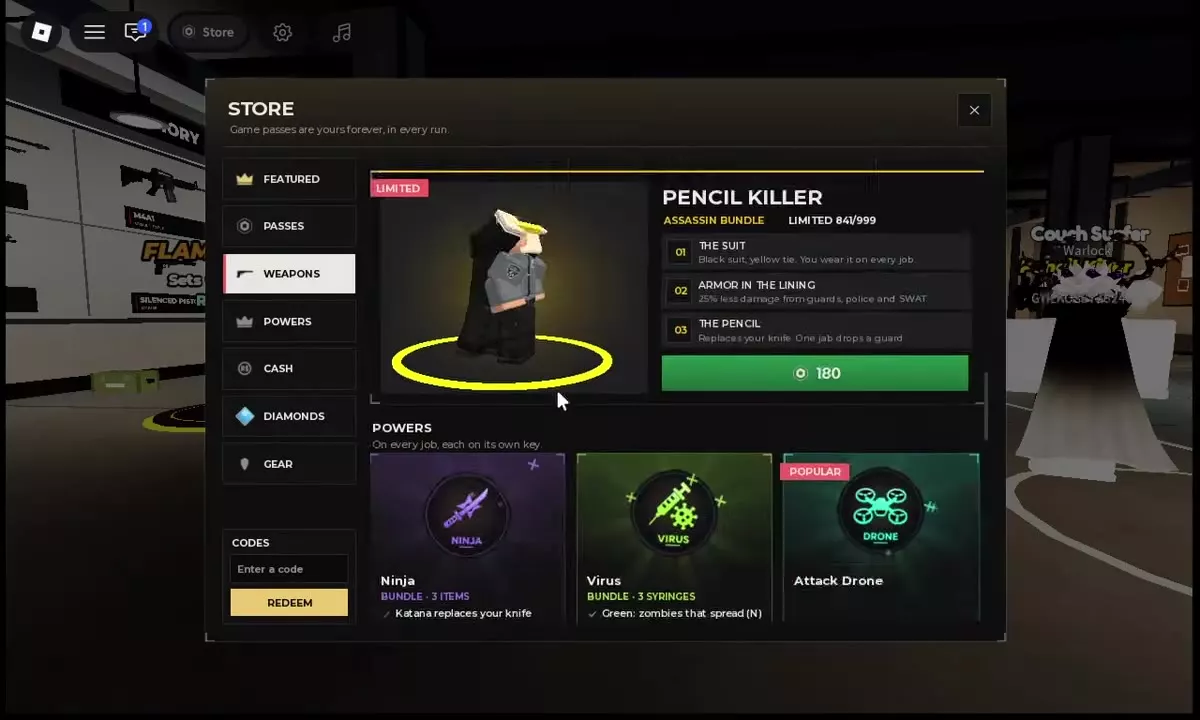
Unlock Powers in the Store
Open STORE and select Powers to find the five abilities. You can also use VIEW on the Virus, Attack Drone, Airstrike, and Natural Disaster lobby displays. Each matching Game Pass is a one-time purchase that makes its power available on every job.
Choose Ninja for smoke cover, Virus for a quiet knockout or its other syringe effects, Attack Drone for scouting through walls, Airstrike for an open area, or Natural Disaster for weather effects.
Power Directory
Compare each power's role and keyboard shortcuts, then open its entry for its supplies and Game Pass relationship.
Look up a power’s keyboard shortcut, role, and per-job uses.
5 objects
|
|
Stealth kit | Z (Shuriken), U (Smoke Bomb) During a job | — |
|---|---|---|---|
|
A job kit that replaces the knife with a Katana and supplies Shuriken and Smoke Bombs.
TipsSave one of the two Smoke Bombs for a crossing covered by guards or cameras. Press U for smoke and Z to throw one of the eight Shuriken. |
|||
|
|
Syringe kit | N (Green), M (Blue), P (Red) During a job | — |
|
A kit that supplies three syringes on each job. Each color has its own shortcut and effect.
TipsUse M for the blue syringe when you want a quiet knockout. Each job gives one syringe of each color. |
|||
|
|
Recon and attack drone | Y To fly the drone | 1 flight |
|
A remote-controlled drone with Recon, a machine gun, and missiles. Recon marks nearby people through walls.
TipsUse Recon before entering a guarded area. Press Y to launch your single flight for the job and mark nearby people through walls. |
|||
|
|
Area strike | K To call the strike | 1 strike |
|
A power that calls in jets to drop a line of bombs across a marked area.
TipsFor an open yard, use the call distance and move well back after marking the spot. The six in-game bombs land in a line four seconds later. |
|||
|
|
Weather power | L To use the Weather Tablet | — |
|
A power that uses the Weather Tablet to summon a tornado, an earthquake, or lightning. Eliminations caused by these effects look like accidents.
TipsPress L for the Weather Tablet. Plan for one tornado, one earthquake, and one lightning use per job. |
|||
Ninja and Virus Controls
Ninja
The Katana replaces your knife for melee attacks. Press Z to throw a Shuriken or U to use a Smoke Bomb. Each job supplies eight Shuriken and two Smoke Bombs. Smoke hides you from guards and cameras, so save a bomb for a crossing covered by either.
Virus
Each job supplies one syringe of each color. Use the corresponding key on a target:
- N — Green: Turns the target into a zombie that spreads infection by biting others.
- M — Blue: Knocks the target out quietly.
- P — Red: Makes the target's limbs swell and burst.
Choose blue for a quiet knockout; green spreads its effect to others through bites.
Attack Drone, Airstrike, and Weather Tablet
Attack Drone
Press Y to fly the remote-controlled drone. You get one flight per job. Use Recon before entering a guarded area to mark nearby people through walls; the drone also carries 150 machine-gun rounds and two missiles.
Airstrike
Press K to call your one Airstrike for the job. Mark the spot and move well back: six bombs land in a line four seconds after the mark. You can call the strike from 450 studs away, making it useful for an open yard.
Weather Tablet
Press L to use the Natural Disaster Weather Tablet. It can summon a tornado, an earthquake, and lightning, with one use of each effect per job. Eliminations caused by these effects look like accidents.
Pass Prices and Stealth Options
Compare prices and other permanent benefits in Game Passes and Bundles. For a quiet loadout alongside a power, see weapons for stealth and loud contracts. The stealth and camera guide covers route choices and Camera Recording.