
How to Hide Bodies and Clean Blood in Silent Killer Simulator
Keep bodies and blood out of sight while you work, then decide which targets to bring back for their full recovery value.
Drag a body to a compatible bin and press E at the dump prompt. To remove existing blood, put the body down and hold E over each patch. Press Q to use a Body Bag before a long drag and prevent new blood trails. You can still wipe blood after reaching the nightly cleanup XP cap.
Choose What to Hide, Bag, or Recover
Choose the body's destination before moving it:
- Recover a target: Bring the body to the Escape Truck for its full recovery value. An eliminated target left behind earns 50% of its value. If the route is busy, press E to leave the body in a quiet spot, then use Drag body when you return.
- Complete Hide the body: Follow the objective's highlight to a bin that accepts bodies and use its dump prompt.
- Bag a long carry: A Body Bag prevents fresh blood trails and makes the dragged body look less suspicious. A bagged body can still be put down, dragged again, and loaded into the truck.
A discovered body triggers Body Found and can draw a Man Down call. Clear visible traces along routes where NPCs pass first. For the truck route and loading procedure, see body recovery and escape.
Hide the Body in a Bin
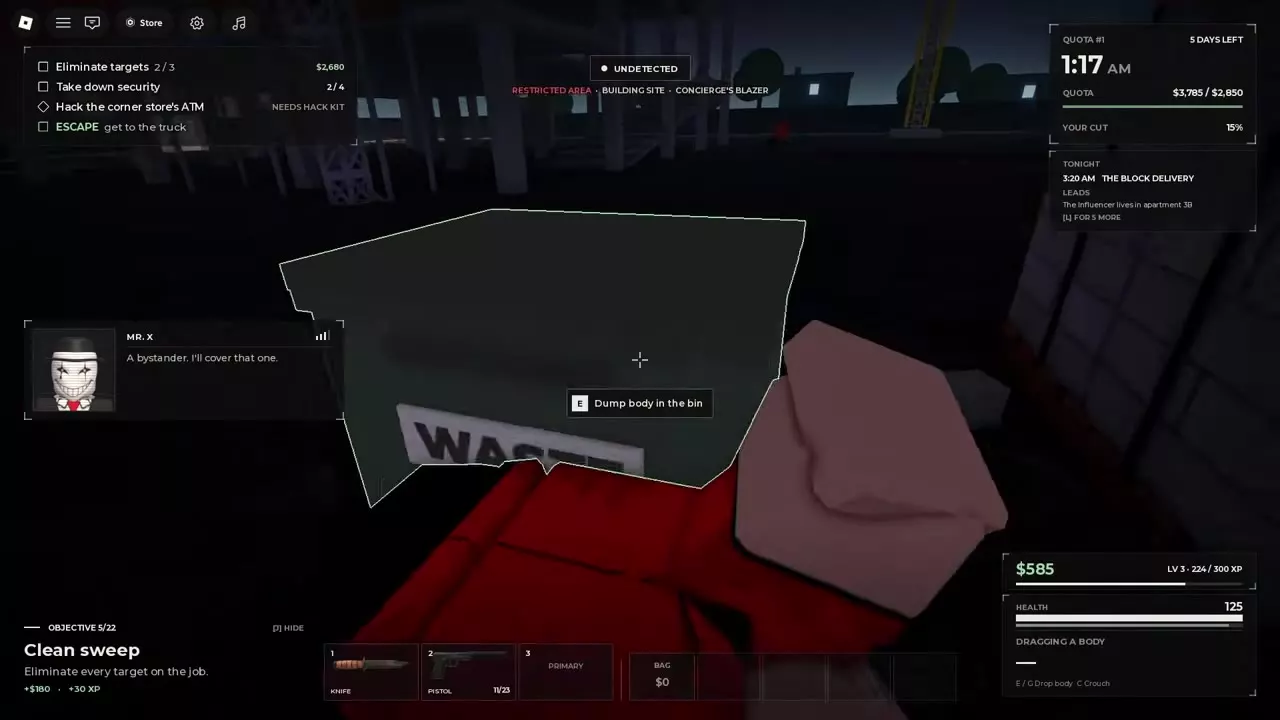
- Find the highlighted bin indicated by Hide the body. Approach the body and press E at Drag body.
- Drag the body within interaction range of the bin. If its lid is closed, use the opening prompt first.
- Press E at Dump body in the bin or the displayed hide prompt.
The bin at Town's Building Site offers Dump body in the bin when a dragged body is close enough. At Mill House, the Trash Room bin's Push prompt is a separate interaction.
Clean Up Existing Blood
- If you are dragging a body, press E to let it go.
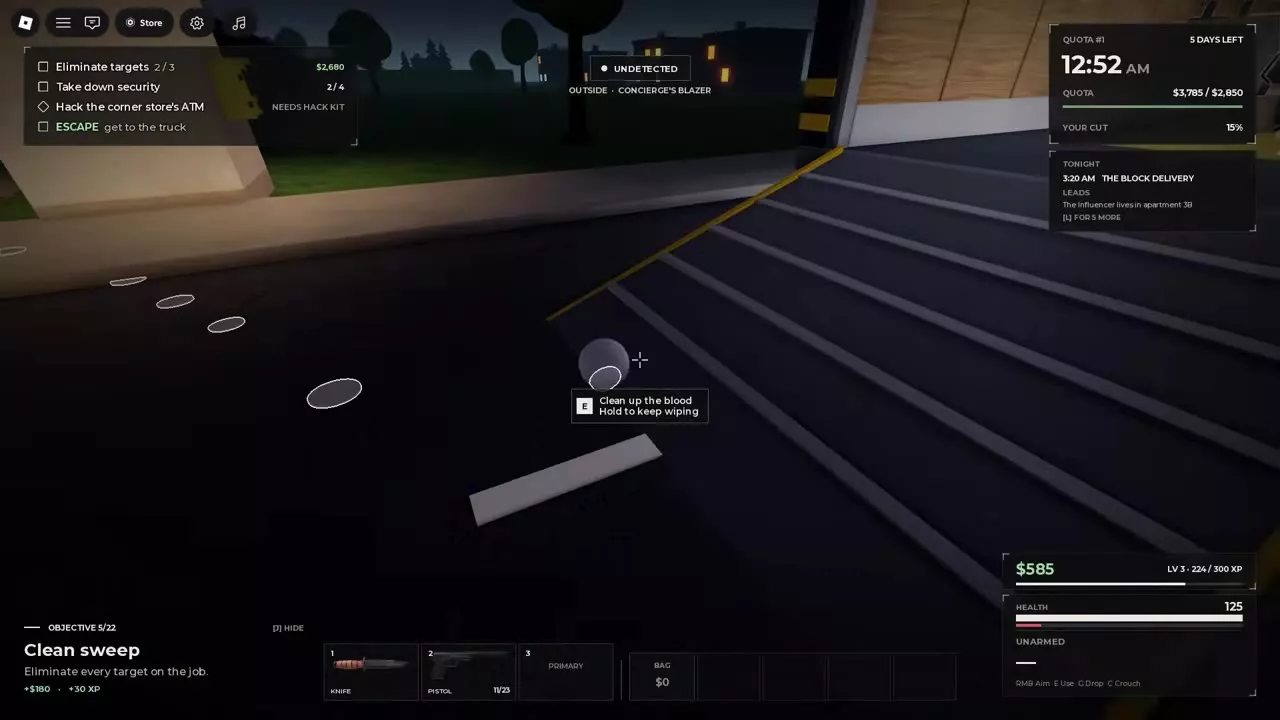
- Face a blood patch and hold E at Clean up the blood to wipe it away.
- Retrace the drag route and repeat on remaining patches. Check floors, grass, roads, and sidewalks, starting with exposed areas along NPC routes.
To prevent a new trail, carry a Body Bag and press Q at Body bag it before dragging. You can also use Q while already dragging. Each body uses one bag; bagging does not remove blood already on the ground. Body Bags unlock at Level 2 and cost $120 each in Computer → Supplies. The body interaction shows your remaining bag count. See supplies for the purchase details.
Nightly Cleanup XP and Follow-up
Cleaning blood can award XP and extra cash. When Mr. X says you have earned all cleanup XP for the night, you can continue holding E to remove exposed patches.
After extraction, check No bodies found in the Job Report; it accounts for 20% of the rating. The Job Report guide explains all four rating categories and their bonuses. For other ways to gain experience, see how to earn XP and level up.