
Silent Killer Simulator PC Controls
Use these keyboard and mouse controls to equip weapons, interact with mission objects, and subdue NPCs in Silent Killer Simulator.
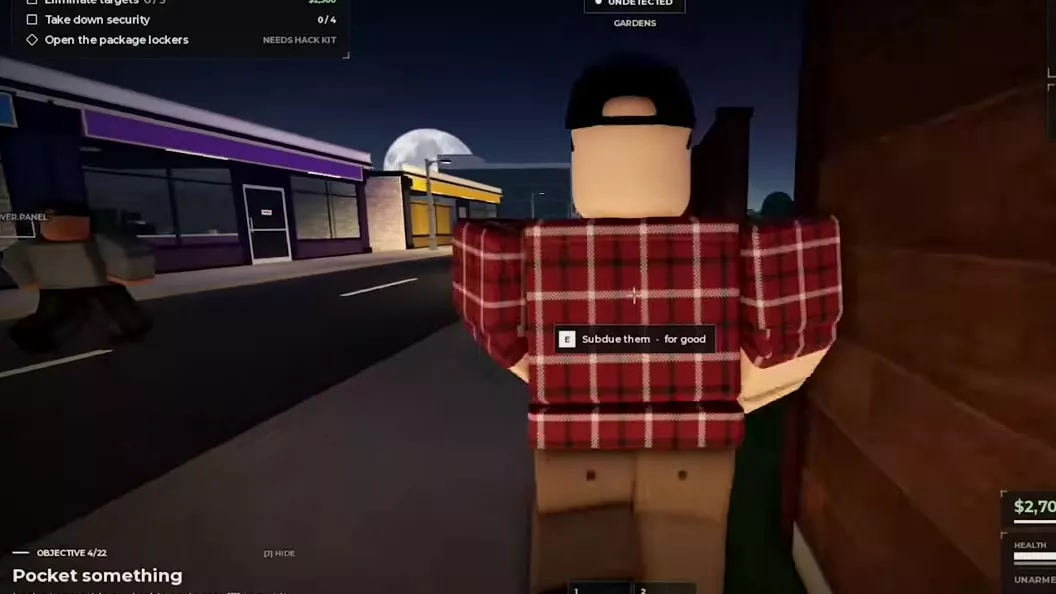
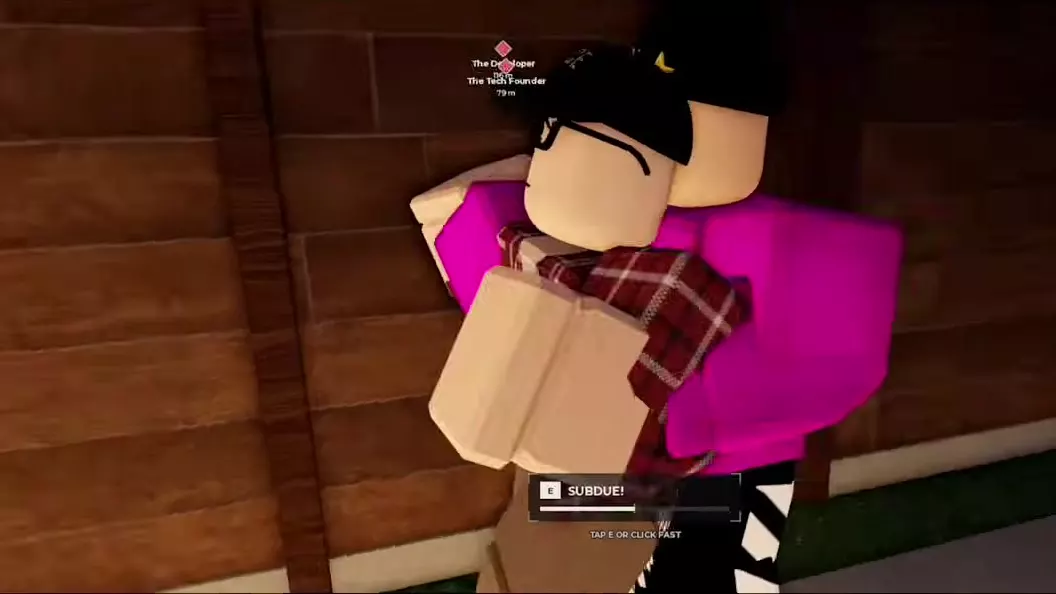
Use the number keys to select gear, right-click to aim, and left-click to fire. Follow the E or F interaction prompt. To subdue an NPC, approach from behind, press E, then rapidly tap E or click until the bar fills.
Keyboard and Mouse Inputs
| Action | Input |
|---|---|
| Select hotbar gear | Number keys |
| Select starting Knife | 1 |
| Select starting pistol | 2 |
| Aim | Hold right mouse button |
| Fire | Left mouse button |
| Use an object or pick up loot | E at prompt |
| Drag, release, or load a body | E at prompt |
| Wipe blood | Hold E |
| Take an offered disguise | Hold F |
| Use a Body Bag | Q at body or while dragging |
| Use a Med Kit | H |
| Skip target introduction | Any key |
Look at the object and read its prompt: E operates the Job Board, computer, Sell Crate and sale lever, as well as picking up valuables and swapping weapons. Put the pistol away before NPCs see you holding it.
Hold F and stay still until the disguise interaction finishes. See where to get disguises for their locations and access.
A Body Bag requires Level 2 to buy and costs $120 in Computer → Supplies. Press Q at a body or while dragging it; each bag covers one body and prevents a new blood trail while dragging. Press H during a contract while carrying a Med Kit to restore 60 health. Med Kits cost $240 in Supplies. For more on preparing these items, see supplies, ammo, and healing.
Subdue from Behind
- Wait for the NPC to turn away and move out of nearby guards' direct view.
- Approach from behind and press E when Subdue them appears.
- Rapidly tap E or click until the progress bar fills.
Subduing The Watch Captain or The Tech Founder can register as Target Eliminated and advance the target counter. A subdued guard can instead show Out Cold; use the drag prompt if the body is recoverable.
Loaded Ammo and Reserve Ammo
The first number is the ammo loaded in the weapon; the second is reserve ammo. Reloading moves rounds from reserve into the weapon. For example, reloading a pistol at 0/9 can move all nine reserve rounds into the magazine, changing the display to 9/0.
To replenish reserve ammo, open Computer → Supplies and buy a Box of Bullets. It applies immediately, adding two spare magazines for each gun you carry. A pickup of the same gun with ammo can also add rounds to your reserve. See supplies, ammo, and healing for more preparation options.