
How to Play Solo or With Friends in Silent Killer Simulator
Set up a solo run or bring friends along from the deployment lobby in Silent Killer Simulator.
Step onto an open Contract pad, choose a run, and set Agents to a team size from 1 to 4. Select Create, invite friends from the team panel if needed, and stay on the team until the deployment countdown ends.
Contract Pads and Team Size
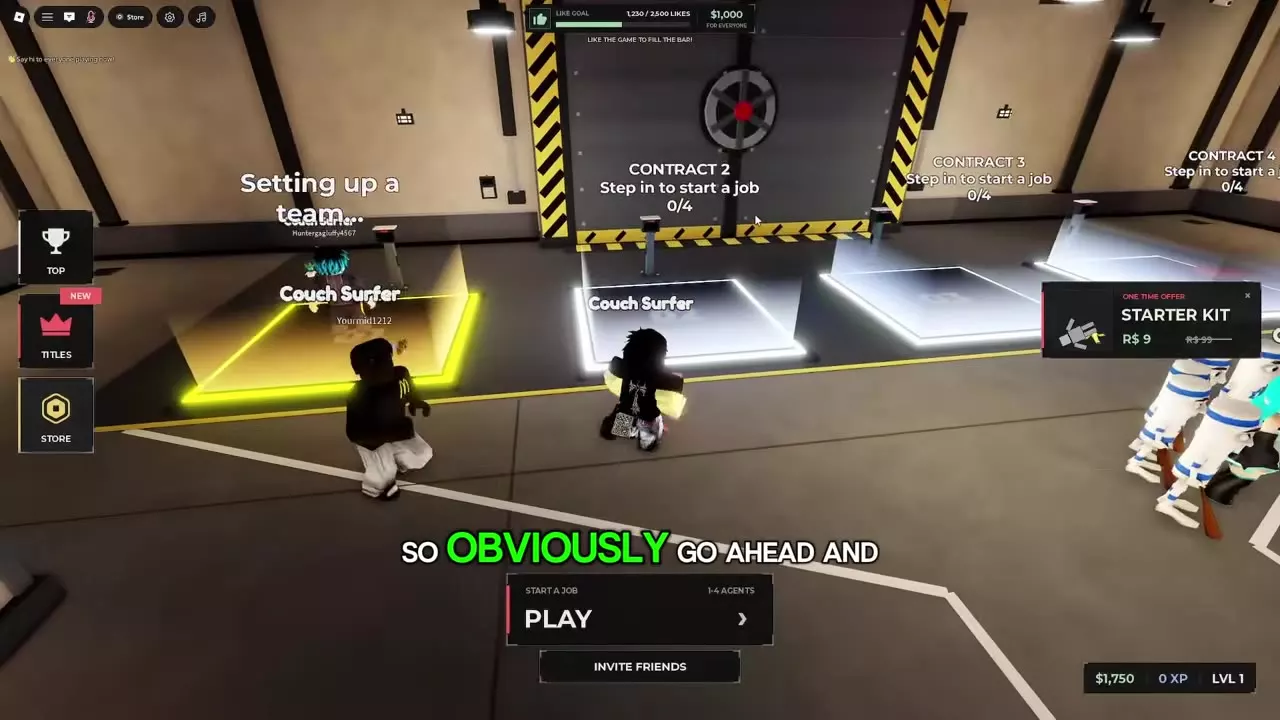
Go to the Deployment area in the lobby and step onto an open Contract pad marked “Step in to start a job.” This opens Create Team, where you can set up a team of one to four agents.
Agents, Who Can Join, and Normal Difficulty
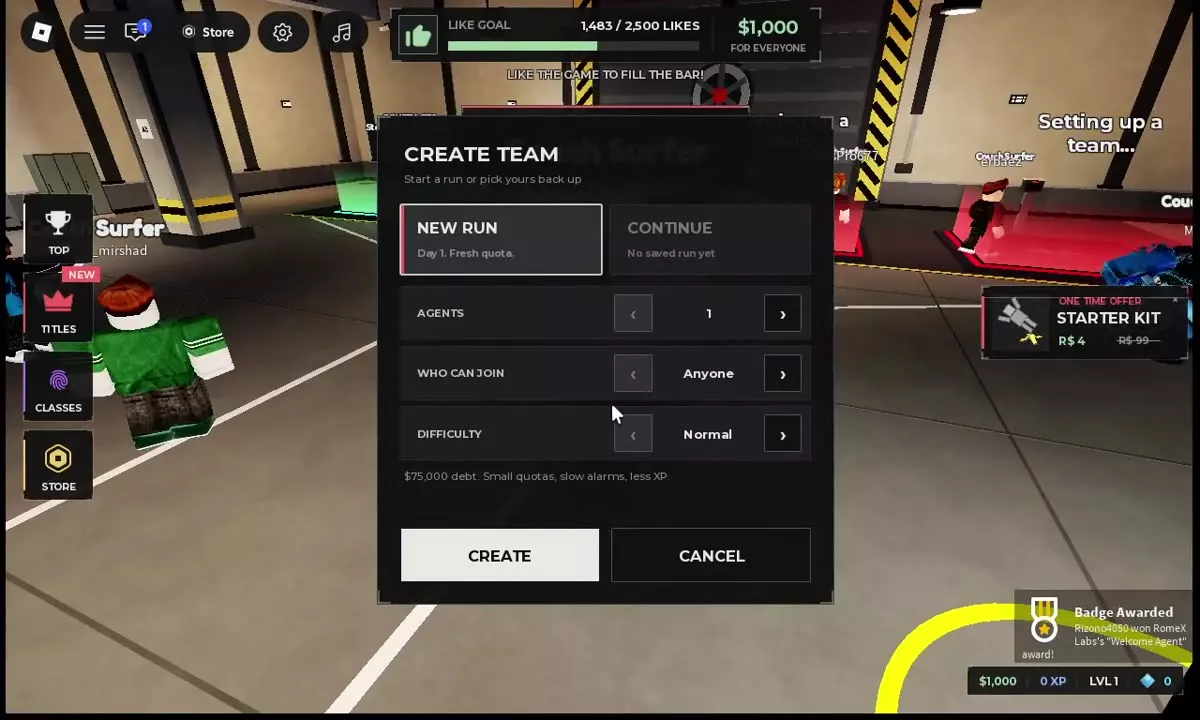
In Create Team, use the arrows beside Agents to choose the number of team slots. Who Can Join: Anyone opens the team to other players, so check the member count before deploying. Select Create to form the team, or Cancel to leave the setup menu.
Set Difficulty before creating the team. Normal starts with $75,000 debt and has small quotas, slow alarms, and less XP.
Invite Friends and Deploy
- Use Invite Friends in the lobby to invite your friends into the game.
- Step onto an open Contract pad and choose New Run or Continue. Set Agents to a size that fits your group, review Who Can Join and Difficulty, then select Create.
- Use Invite on the team panel to invite friends to the team. Check the members and countdown before deployment.
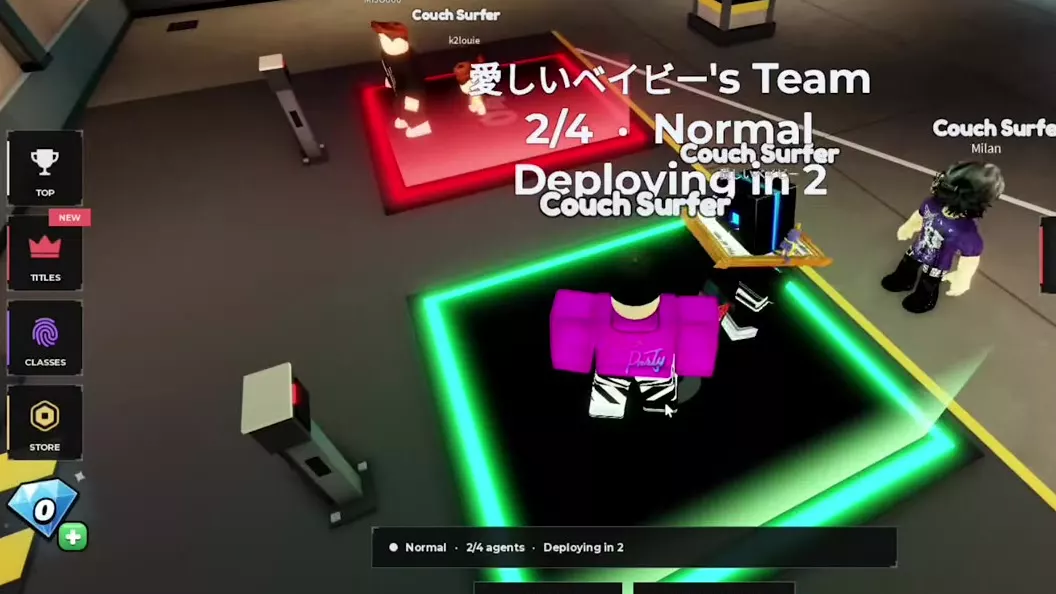
- Stay on the team until the countdown finishes and the contract loads. Select Leave Team during the countdown if you need to exit.
A Normal team with 2/4 agents can deploy when its countdown ends; all four slots do not have to be filled in that setup.
Deploy Solo
- Step onto an open Contract pad and select New Run for a fresh run or Continue for your saved run.
- Use the left arrow on Agents until it reads 1, then select Create.
- Wait for the deployment countdown. You occupy the single slot, so Anyone can remain selected without another player joining that team.
First Job and Saved Runs
After your first deployment, follow the beginner guide to complete First Job and start a Town contract.
New Run starts on Day 1 with a fresh quota. Continue loads an existing run and previews its day, quota, sold amount, and remaining days. If Continue says “No saved run yet,” choose New Run. See New Runs and Saved Progress for continuing and re-entering a run.